As you know from reading my previous blogs (The Hidden Structure of 1/7 and Exploring Consecutive Squares with 9/16/25), I am a big fan of combining math with dates. This week allowed us to celebrate another math date! Pi Day (March 14th) was just this past weekend, so it felt like the perfect time to highlight a formula hiding in plain sight.
Most of you know that Pi is rounded to 3.14 and that the value is used for various calculations associated with a circle. But did you know that Excel has a function associated with Pi?
The =PI() formula returns Pi accurate to 15 digits. It only goes 15 digits deep due to how Excel handles floating-point arithmetic (Excel converts anything larger than 15 digits into scientific notation).
There’s not much more to say about this formula other than using it to read this …
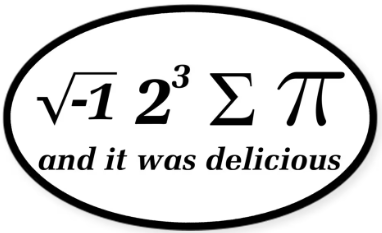
We all know that MATH IS AWESOME, but Math times Pi makes it three times more awesome!
Revelwood is an IBM Gold Business Partner with more than 30 years of experience designing, developing, implementing and maintaining IBM Planning Analytics environments. We focus on solutions for the Office of Finance and have partnered with clients of all sizes across all industries to optimize, enhance and expand their use of Planning Analytics. Revelwood’s Planning Analytics team consists of PA experts with decades of experience, and we have been recognized via awards including IBM Champion status.
Stay up to date with PA – sign up for our weekly Planning Analytics Tips & Tricks newsletter, subscribe to our YouTube channel, and join our IBM Planning Analytics All-Stars group on LinkedIn.
Read more IBM Planning Analytics Tips & Tricks:
Use the Planning Analytics AI Assistant for Smarter Data Analysis
The Fastest Way to Copy a Worksheet in Excel
How to Remove Duplicate Elements from an Existing Subset in Planning Analytics Workspace