Required: The user will need access to the Planning Center permission to use the Planning Center and its features.
Overview
Workday Adaptive’s Planning Center can be found within modeling and is used to optimize model design and performance. The Planning Center is broken out into sections of Observability, Process Dashboard, and Other Links. These sections break out further into reports where users can gather useful insights into different areas of Adaptive. By leveraging the Planning Center users can make the most-informed design decisions at any stage of modeling. It’s important to model with best practices in mind while meeting all requirements for your organization. Optimizing the model with the Planning Center will make performance and maintenance much more efficient in the long run. This post will briefly cover the various features of the Planning Center but will focus on the newest functionality added as part of the 2025 R2 release. The Sheets Performance Evaluator provides users with an excel export of the account code for each child account and its evaluation time in seconds.
Observability
The Observability section contains the reports Configuration Metrics, Sheet Metrics, and Report Metrics.
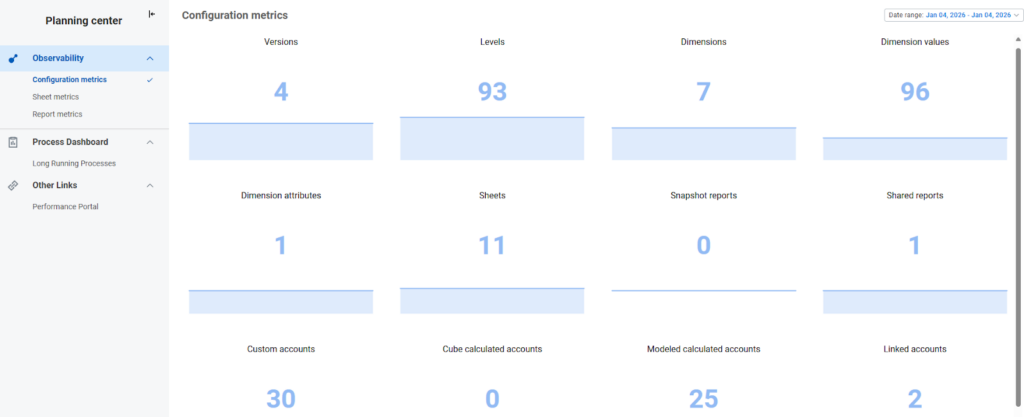
The Configuration Metrics Report monitors the changes and size of the user’s model over time. That includes factors/elements that can impact model performance. Date Range, pictured in top right of screenshot below, can be adjusted as needed. The height and color of the columns correspond to the given element’s capacity (max limit).
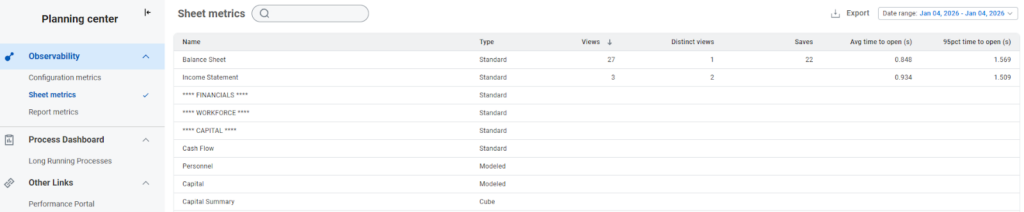
The Sheet Metrics Report monitors the performance and usage metrics of the users sheets. Users can export data to excel and use the search bar to filter sheets. This report helps identify sheets that need to be optimized. Date Range, pictured in top right of screenshot below, can be adjusted as needed.
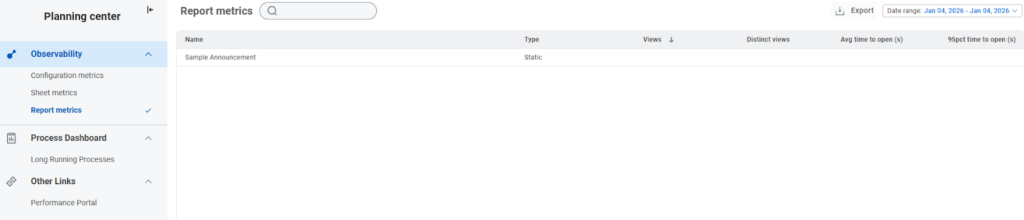
The Report Metrics Report monitors the performance and usage metrics of the users shared and snapshot reports. This functions the same as sheet metrics but for reports.
Process Dashboard
The Long Running Processes Report enables users to review and cancel processes that have been running for more than 30 seconds. This helps to see if there are large processes running during peak business hours that can negatively impact performance of the rest of the system. Users can now identify, review, cancel, and re-run processes at a more convenient time. Long Running Process data can be exported to excel. See fellow Revelwood consultant Cameron Burke’s post for more information about Adaptive’s Planning Center Long Running Processes feature.
See post here: https://revelwood.com/workday-adaptive-planning-tips-tricks-new-feature-long-running-processes-in-workdays-2024r2-release/
Note: Some Processes cannot be canceled.
Other Links
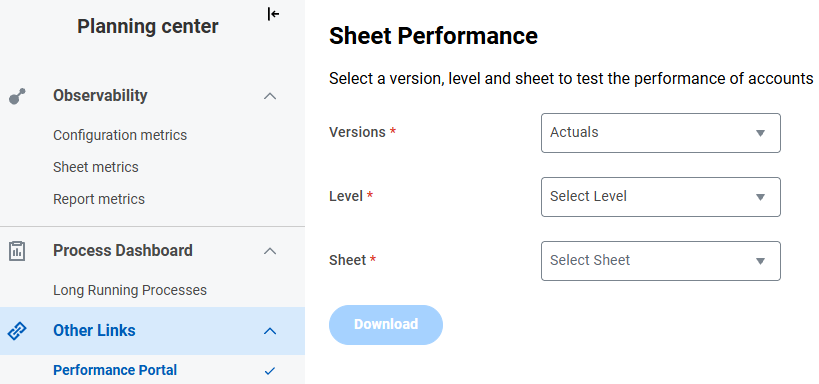
The Performance Portal Report enables users to evaluate the account performance for sheets in the selected versions and levels. This gives users insight to identify which accounts need to be optimized for faster sheet loads. It saves time and effort during each stage of modeling and will ensure it’s optimized. This data can be exported to excel and will show the account codes for each child account and the evaluation time in seconds. Enter the required fields and select download.
Summary
The Planning center is an excellent resource for implementers and users to ensure an optimized model design and build. Additionally, it will help for any maintenance and changes made down the road. Modeling to your organization’s requirements while following these best practices will prove to be worthwhile in the long run. Below is a screenshot highlighting the required permission needed to grant access to the Planning Center and its corresponding features.

Revelwood is more than just a Platinum Workday Adaptive Planning partner — we’re a trusted advisor to the Office of Finance. With 30 years of experience and award-winning expertise, we bring together powerful software, proven best practices and pre-built, ready-to-deploy solutions that accelerate time to value. Our team doesn’t just implement technology — we help finance teams transform the way they plan, analyze and make decisions. Discover how Revelwood can help you get the most out of Workday Adaptive Planning — and achieve results that matter.
Read more Workday Adaptive Planning Tips & Tricks:
Connecting Plan Data to GL Accounts in Adaptive: A Method-by-Method Breakdown
Creating Scenarios in Adaptive Planning
Created Dimensions Through Metadata Loaders